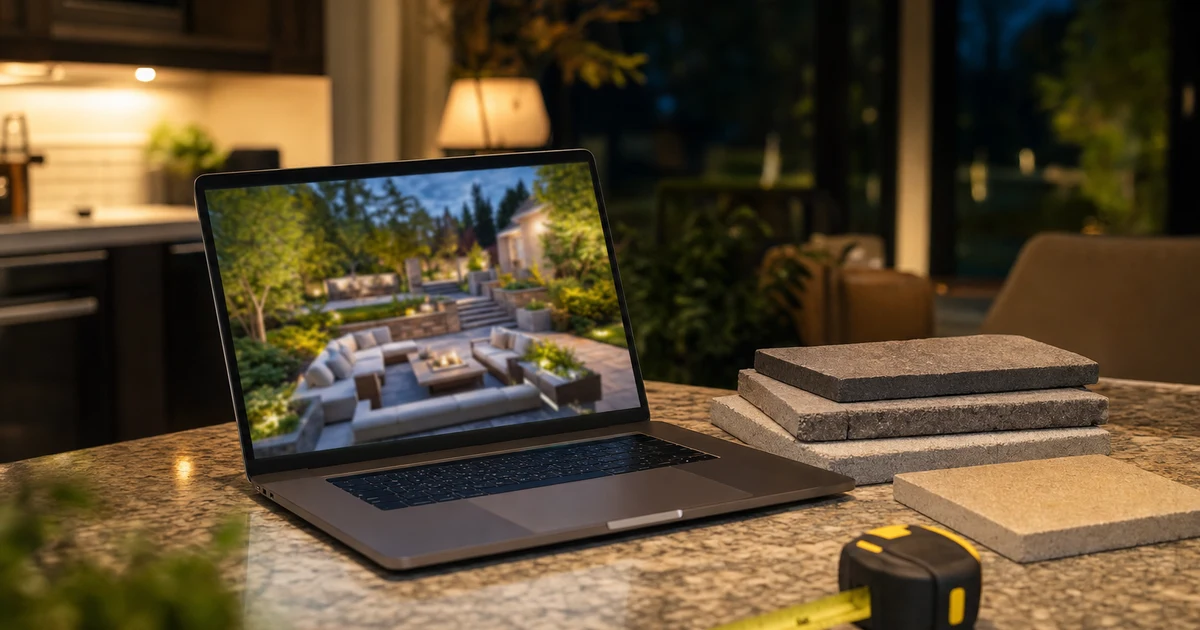
Search for hardscape design software and almost nothing on the first page is written for you.
We pulled the results on September 20, 2026. Five of the top ten were vendors describing their own product, three were roundups aimed at homeowners and home gardeners, one was Canva, and one was a Reddit thread. The People Also Ask box wanted to know whether iScape is really free and what a good free app is for designing a backyard. Those are homeowner questions.
Nobody is writing for the person who actually has to decide: a contractor choosing what goes on the laptop a salesperson carries into a kitchen at six in the evening. This is that article. Every price below was read off the vendor's own page on September 20, 2026.
Key takeaways
- These tools do two different jobs, selling the project and documenting the build, and buying for the wrong one is the expensive mistake.
- Published prices run from about $11 a month to $4,000 a year, and two of the best-known options publish no price at all.
- The license is the small number. Design labor per bid is what decides whether the software pays for itself.
- The render keeps working after the sale, as proof on your website, your listing, and your ads.
What does hardscape design software actually have to do?
Two jobs, and almost no tool is equally good at both.
The first job is selling the project. That is a 3D render convincing enough that a homeowner and their spouse can look at it on a kitchen island and say yes to a $40,000 patio. It needs to look like the finished space, from the eye height a person will actually stand at.
The second job is documenting the build. That is a dimensioned plan with elevations, material quantities, and enough accuracy to pull a permit, order the right number of pallets, and keep the crew from guessing at a grade change.
Most contractors buy a tool for one job and discover six weeks later they needed the other. If you are losing bids at the kitchen table, you have a presentation problem. If you are bleeding margin on material overages and rework, you have a documentation problem. Decide which one is costing you more this season before you look at a single price.
What do the leading options actually cost?
Here is what each vendor publishes, read off their own pricing pages on September 20, 2026. Prices change, so treat this as a starting point and confirm before you buy.
| Tool | Published price | Leans toward |
|---|---|---|
| SketchUp Go | $10.75 per user per month, billed annually | General 3D modeling, browser and iPad |
| SketchUp Pro | $33.25 per user per month, billed annually | General 3D with desktop tools and extensions |
| SketchUp Studio | $71.58 per user per month, billed annually | Adds visualization and scan tools |
| VizTerra (Structure Studios) | $97 per user per month, or $84 billed annually | Hardscapes, landscapes, wood decks |
| Pool Studio | $147 per user per month, or $125 billed annually | Custom swimming pools |
| Vip3D | $197 per user per month, or $167 billed annually | High-end outdoor living, best camera work |
| DynaSCAPE Creator | $119 per month, listed as introductory pricing | Design plus quoting for smaller shops |
| DynaSCAPE Design | $1,599 per year, or $158 per month, Windows | CAD-based plans with a hand-drawn look |
| Realtime Landscaping Architect | $599, one time | Photo-based designs, plans, and 3D walkthroughs |
| Unilock Uvision | $579.95 full version, $279.95 upgrade, Windows only | 3D and 2D built around one manufacturer's catalog |
Two things worth noticing in that table. Structure Studios runs a tiered product line, so a shop that also sells pools can end up in the wrong tier and pay twice, and DynaSCAPE's add-on modules are priced separately at $600 a year each on top of the base seat. Its top CAD bundle is listed at $4,000 a year.
On the other side, Structure Studios lists its live training classes at no charge, with a stated value of $2,425. Training is usually the hidden cost with this category of software, so a vendor including it is a real part of the price comparison, not a marketing throwaway.
Why do two of the best-known tools publish no price?
Because they sell through conversations and resellers, not a checkout page.
PRO Landscape ranks first for this search. Its pricing page returned a 404 on September 20, 2026, and the site routes you to a Request Info form instead. Vectorworks Landmark shows a free trial and a Buy Now button on its product page with no figure attached.
That is not a red flag by itself. It does mean you are negotiating, and that you should get the whole number before you commit. Ask five questions on that call:
- What is the total cost per seat for the first year, including setup or onboarding fees?
- What does it renew at in year two?
- Is training included, and is it live or recorded?
- Is this a subscription or a perpetual license, and what happens to my files if I stop paying?
- What does a second seat cost when I add a salesperson?
Get the answers in writing. A quote-based tool can easily be the right choice, but you cannot compare it to a $97 seat until you know what it actually costs.
Is there a genuinely free option?
There are real free trials, and one free tier worth understanding before you rely on it.
Structure Studios, Idea Spectrum, Unilock, and Vectorworks all offer free trials, which is the honest way to evaluate this category. SketchUp also publishes a free browser-based version alongside its paid plans.
Before you run client work through any free tier, read its license terms. Free tiers across software generally are written for personal use, the terms are the vendor's to change, and a tool you built your sales process on can become a bill you did not plan for. Check the current terms yourself rather than trusting a roundup article, including this one.
One myth worth killing: manufacturer software is not automatically free. Unilock's Uvision, which is built around one manufacturer's catalog, is listed at $579.95 for the full version. Some paver manufacturers do run design or rendering support programs for contractors who buy their product, and those programs vary by brand and by region, so the move is to ask your rep what your account actually qualifies for rather than assuming.
How much design time can you afford per bid?
This is the number that decides whether any of these tools pay, and it is not on a pricing page.
The arithmetic below uses illustrative figures, not industry benchmarks. Run it with your own.
Say your average installed project is $35,000 and you close one in four proposals. That is four designs per sale. If you produce roughly 32 designs a year, a $97 monthly seat works out to about $36 of license cost per design. That is noise.
Now price the hours. If a presentable design takes four hours and your loaded cost for that time is $75 an hour, each design costs you $300, and each sale costs $1,200 in design labor. That is the real line item, and it is 33 times the license.
Which reframes the whole decision. The question is not which tool is cheapest. It is which tool gets you to a presentable design fastest, and whether a better presentation moves your close rate. Going from one in four to one in three on a $35,000 average ticket means one extra sale for every twelve proposals. No license in the table above costs anything close to that. The render itself is only one input into that close rate; qualifying, the presentation, the deposit, and the follow-up cadence around it matter just as much, which is the full design-build sales process we break down separately.
It also tells you when to walk away. If your close rate is already strong and you are losing money on material overages, spend on the documentation side instead and ignore the render marketing entirely.
What is the render worth after you win the job?
More than most contractors get out of it, because most of them let it die in a folder.
A render paired with a photo of the finished build is the single most persuasive piece of proof a high-ticket outdoor living company can publish. It answers the fear every homeowner has when they sign a $40,000 contract, which is that what gets built will not be what they were shown.
That pairing has four places to work. It belongs in the project gallery on your website, on the service page for that specific type of work, in your Google Business Profile photos where it reaches people comparing local companies, and in paid social creative, where a design-to-build sequence outperforms a stock photo of somebody else's patio.
The same content also feeds search. Real project pages with real images are what give an outdoor living company something specific to rank with, which is the difference between a thin services page and one that earns the high-ticket searches. That is the core of how we approach SEO for outdoor living and hardscape companies. See our hardscape contractor marketing page for how we connect that proof to search and follow-up.
Build the habit now: every render you produce gets saved at full resolution, and every completed build gets photographed from the same angle as the render. That one discipline turns a design cost into a marketing asset.
How do you choose without buying twice?
Work through it in this order and you will not end up with two subscriptions and one workflow.
- Name the bottleneck. Losing bids is a presentation problem. Losing margin is a documentation problem. Buy for that one.
- Ask whether it outputs a dimensioned plan and material quantities, not just an attractive picture. If it does not, you still need a second tool for the build.
- Check the platform before you fall in love. Uvision, for example, lists Windows 10 or 11, 64-bit, as a requirement. A Mac-based shop finds that out at the worst moment.
- Run the trial on a job you already sold. You know the site, the materials, and the outcome, so you are testing the software instead of learning the project.
- Time yourself. Track the hours on your first three designs. That number, not the monthly fee, is your real cost.
- Confirm the exit. Know what happens to your files if you cancel, before you put a year of designs into a tool.
Turn the designs you already produce into booked projects
If you are producing good renders and still losing bids to companies with worse work, the gap is usually visibility and proof, not design. We can look at the whole path: what people search in your market, what page they land on, what proof it shows, and what happens after they reach out.
Want this done for you? See our outdoor living SEO service.
Frequently asked questions
Is SketchUp enough for hardscape design?
It is a capable 3D modeler, and its paid plans run from $10.75 to $71.58 per user per month billed annually, which is the cheapest entry in this category. The tradeoff is that it is general-purpose 3D rather than a hardscape tool, so paver libraries, material takeoffs, and construction output come from extensions or from your own modeling time. It is a strong choice if you or someone on your team already knows it.
Do I need 3D, or is photo imaging enough?
Photo imaging, where you drop materials onto a photograph of the customer's actual yard, is faster and is often enough for a straightforward flat patio or a walkway. Full 3D earns its cost when the site has grade changes, retaining walls, or multiple levels, because those are the projects where a homeowner genuinely cannot picture the finished elevation from a flat image.
How long does it take to get productive?
Budget real hours rather than an afternoon, and do your first designs on jobs you have already sold so the learning happens on your own time instead of in front of a customer. Ask every vendor what training costs and whether it is live or recorded. Structure Studios, for example, lists its live training classes at no charge.
Should I charge the homeowner for design?
Practice varies across the trade. A design fee filters out people who are collecting free renderings to hand to a cheaper installer, and it pays for the hours the work actually takes. Crediting the fee toward the project when they sign removes most of the objection. The more designs you produce per sale, the harder it is to give that time away.
Does the software replace hiring a designer?
No. It removes drafting time, which is real leverage. Judgment about proportion, grade, drainage, and material pairing still comes from a person, and the software will render a bad design just as convincingly as a good one.